DIAGNOSTIC TOOL
Every reason this page could be kept out of a search index, in one list
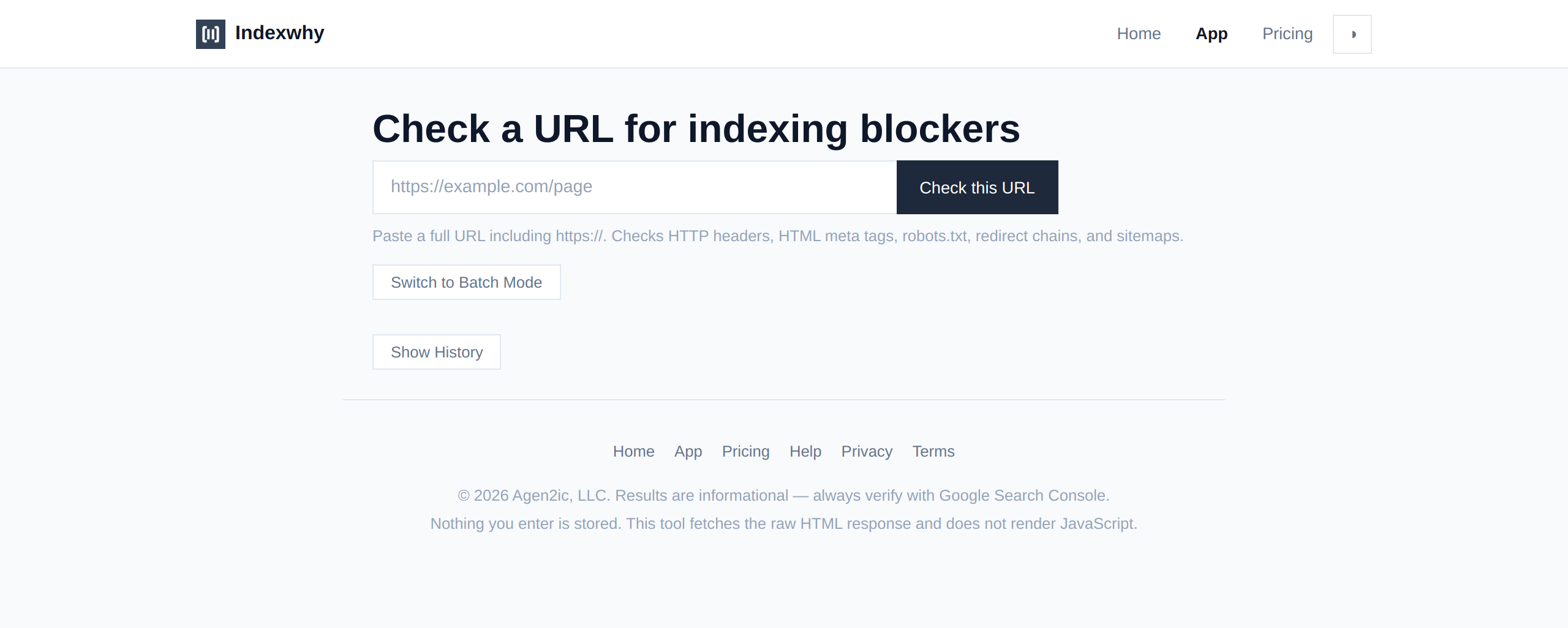
Enter a URL. Indexwhy fetches it the way a crawler does and lists every mechanism — in the page's own HTML, its HTTP headers, or the site's configuration files — that would stop it from appearing in a search index. Findings are ordered by whether they genuinely exclude the page or merely weaken it.
Checks HTTP headers, HTML meta tags, robots.txt, redirect chains, and sitemaps. No account needed.
01 / HOW IT WORKS
A single URL through the same path a crawler would take
You enter a URL. The tool fetches it the way a search-engine crawler does — following every redirect end to end, reading every header, inspecting the HTML, checking the site's robots.txt and sitemap. What comes back is a single report with every mechanism that would affect indexing, sorted by whether it is a hard block or a soft weakness.
The tool runs on Cloudflare Workers — nothing is stored, nothing is saved.
02 / WHAT IT CHECKS
A noindex left in after a redesign is the most common reason a page vanishes from search
Indexwhy reads every signal a search-engine crawler would read, not just the visible page. Each is a specific mechanism with a specific fix — and most are invisible unless you know to look for them.
A 404 or 500 tells crawlers the page does not exist. Redirect chains are followed end to end and reported.
A response header that can override any page-level directive. Checked on every redirect hop, not just the final URL.
The noindex directive in the page HTML that tells every crawler to stay away. The most common single cause.
If the canonical points to a different page, Google indexes that page instead, not the one you entered.
A file at the site root that can block crawling of a specific path. Applied to the exact URL, not site-wide.
A page listed in a sitemap is easier to discover. Not required, but its absence is a soft weakness.
03 / WHAT A RESULT LOOKS LIKE
Findings are ordered by whether they genuinely exclude the page or merely weaken it
Each finding is a bordered card with a coloured left edge. The colour tells you severity before you read a word: red for an active block, amber for a soft weakness, green for a clean signal. Every finding includes the mechanism name, the detected value, and a one-line fix.
<meta name="robots" content="noindex">
The page's HTML contains <meta name="robots" content="noindex"> which tells search engines not to index this page. Remove the tag or change it to index.
Canonical URL points elsewhere
The page declares <link rel="canonical" href="https://old-site.com/page">, which points to a different URL. Google will treat the canonical URL as the authoritative one.
No robots meta tag
The page does not contain a <meta name="robots"> tag. Indexing depends on other signals — headers, robots.txt, and whether the page is in a sitemap.
04 / WHAT IT DOES NOT DO
No ranking estimates. No traffic promises. No submissions to Google
Indexwhy tells you what is blocking a page from appearing in search. It does not tell you where the page ranks, how much traffic it would get if fixed, or guarantee that fixing these will improve your position. Being indexable is the floor, not the outcome — and the page says so.
- NOT Ranking or traffic estimates — This tool does not estimate where your page ranks or how much traffic it would receive. That is a different problem and a different product.
- NOT Search engine submission — Nothing is submitted to Google, Bing, or any other search engine. The tool reads your page; it does not request anything on your behalf.
- NOT Full site audit — One URL per check. A site crawl covering every page requires a different tool with a different architecture.
- NOT Login-gated pages — Pages behind authentication cannot be fetched the way a crawler would. The tool will report them as unreachable.
- NOT JavaScript rendering — The tool fetches the raw HTML response, like Googlebot does for initial discovery. SEO tags injected by JavaScript will not be detected.
05 / WHEN IT CANNOT HELP
An "unreachable" result may be a platform limitation, not a firewall
This tool runs on Cloudflare Workers and inherits a limitation of that platform: it cannot fetch a URL that is itself behind Cloudflare. For a site on Cloudflare, the report will say "unreachable" even when the page is perfectly accessible to a real browser or crawler.
- LIMIT Cloudflare-hosted targets — If the site you are checking uses Cloudflare, use Google Search Console's URL Inspection Tool instead. It checks from Google's perspective, which is the perspective that matters for indexing.
- LIMIT User-Agent blocking — Some sites block non-browser requests. The tool uses a Googlebot User-Agent, but a small number of hosts still refuse programmatic access.
- LIMIT SPA and JS-rendered SEO — Single-page applications that inject meta tags via JavaScript will appear to have no SEO tags. The tool reads the raw HTTP response only.
06 / PRICING
One URL at a time. One report. Nothing saved
The free tier is the full product: enter a URL, get a complete report. There is no sign-up, no trial, no feature-gated functionality. A professional tier is available for users who need to check multiple URLs in sequence or compare historical reports.
- Single URL analysis
- Full report with all mechanisms
- Copy to clipboard
- Download as markdown
- No account needed
- All Free features
- Save report history (local)
- Batch URL checking
- Export to CSV
TRY IT YOURSELF
"My site doesn't show up on Google" is nearly always one specific, boring blocker
Enter a URL. Get the list. Fix the thing that is wrong. That is the whole product, and it works on the first page you check.
Check a URL now